Please find steps below for integrating SonarQube Cloud to perform static code analysis from Azure DevOps and automate this workflow by writing Azure devops yaml pipeline.

Pre-requisites in SonarQube Cloud:
Visit https://sonarcloud.io/

Click on Azure DevOps, enter your Microsoft credentials.
Create an Organization, click on Import from a DevOps platform


- Azure DevOps Account
- Make sure Java Project is setup in Azure Repos and default branch is either main or master.
- Make sure you install SonarCloud plug-in/Add-on in Azure DevOps using below URL:
How to add SonarQube Cloud plug-in in Azure DevOps?
And look for SonarQube Cloud Add-on


Once added SonarQube plug-in, click on proceed to Organization..

How to integrate SonarQube Cloud with Azure DevOps:
Create Token in SonarQube Cloud to authenticate with Azure DevOps
You need to login to SonarQube using your admin password. admin/admin123 and click on Admin on your top side.

Click on My Account, Security.
Under Tokens, Give some value for token name and choose Global analysis token, click on generate Tokens. Copy the token value generated.

Create Service Connections in Azure DevOps
Login to Azure DevOps. Select your project dashboard.

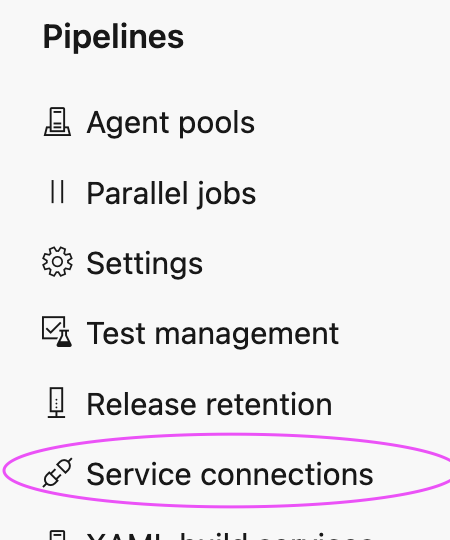
Click on Project settings --> Service connections
click on New service connection

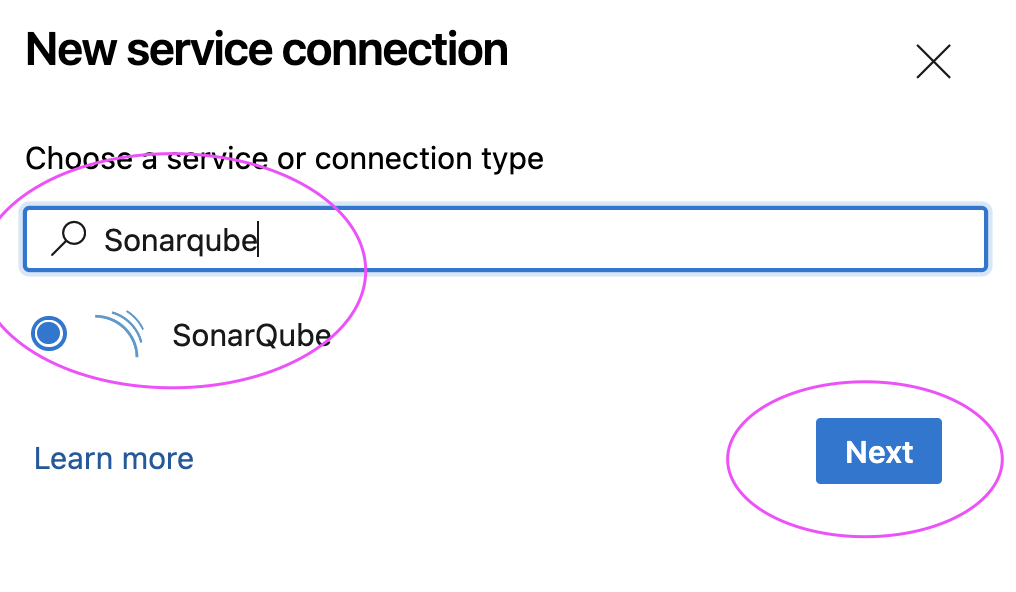
and enter Token created 

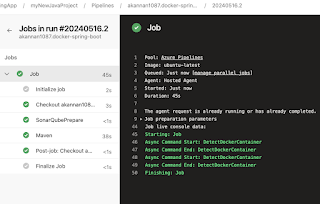
Click on Save and Queue to kick start build.
Now login to SonarCloud dashboard, click on Projects:

Give name for service connection and select grant access permission to all pipelines.
Click on Save.


2. Select your GitHub repo and select the Maven as YAML pipeline template

Create a YAML Pipeline in Azure DevOps
1. Login to Azure DevOps. Go to Azure Pipelines. Click on create a new pipeline, Select GitHub:


3. Click on show assistant on right hand side, type SonarQube and select Prepare Analysis on SonarQube task and then select Service connection from the drop down and choose Integrate with Maven or Gradle option and then click on Add task

Sample Code for entire pipeline is here below
Azure DevOps Pipeline YAML Code:
Azure DevOps Pipeline YAML Code:
trigger:
- main
pool:
vmImage: ubuntu-latest
steps:
- task: SonarCloudPrepare@4
inputs:
SonarQube: 'my_sonar_cloud'
organization: 'mydevopscoachingapp'
scannerMode: 'CLI'
configMode: 'manual'
cliProjectKey: 'MyDevopsCoachingApp_mySep2025WeekendRepo'
cliProjectName: 'MyWebApp'
- task: Maven@4
inputs:
mavenPomFile: 'MyWebApp/pom.xml'
mavenOptions: '-Xmx3072m'
javaHomeOption: 'JDKVersion'
jdkVersionOption: '1.17'
jdkArchitectureOption: 'x64'
publishJUnitResults: true
testResultsFiles: '**/surefire-reports/TEST-*.xml'
goals: 'clean install sonar:sonar'

Click on Save and Queue to kick start build.
Now login to SonarCloud dashboard, click on Projects:


No comments:
Post a Comment